Summarise this article using AI




Why Use AI Tools for Webflow Audits?
Website audits traditionally required manual review across design, SEO, accessibility, and code quality a time-consuming process prone to human oversight. AI-powered audit tools have revolutionized this workflow by automating analysis, identifying issues faster than manual reviews, and providing prioritized, data-driven recommendations.
For Webflow sites specifically, AI audit tools offer unique advantages: they can analyze Webflow's clean semantic HTML efficiently, integrate with Webflow's CMS data, and provide optimization recommendations tailored to the platform's capabilities.
The AI Audit Landscape in 2026
AI audit tools have evolved from simple rule-based checkers to sophisticated machine learning systems that understand context, user intent, and platform-specific constraints. The market divides into four categories:
- SEO-focused AI: Technical crawlers with AI-powered content analysis
- Design review AI: Visual layout analysis and UX recommendations
- Accessibility checkers: WCAG compliance testing with AI context
- Code analyzers: Performance optimization and best practices
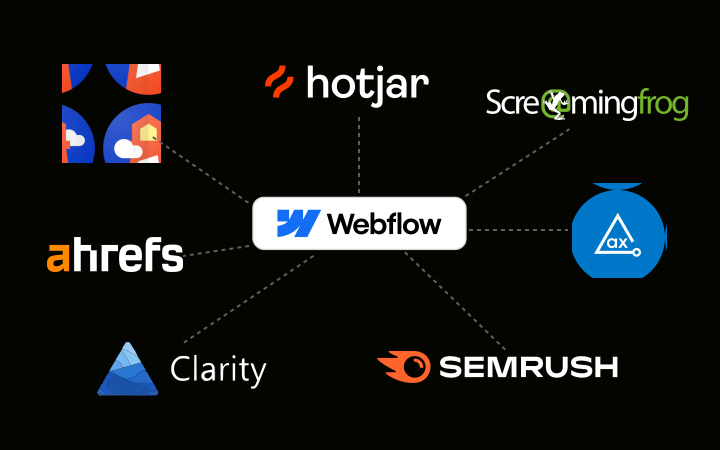
Top AI Audit Tools for Webflow
1. Google Lighthouse (Core Web Vitals & Performance)
What it audits: Performance, accessibility, best practices, SEO, PWA compliance
AI capabilities: Automated performance impact analysis, prioritized fix recommendations, accessibility tree interpretation
Webflow integration: Works seamlessly with Webflow's published sites. Run via Chrome DevTools, PageSpeed Insights, or CI/CD pipelines.
Best for: Technical performance optimization, Core Web Vitals compliance, initial site health check
Limitations: Generic recommendations not tailored to Webflow's specific architecture
2. Semrush Site Audit (SEO + Technical)
What it audits: Technical SEO issues, crawlability, internal linking, meta optimization, schema markup
AI capabilities: Automated issue prioritization by impact, content gap analysis, competitor comparison
Webflow integration: Crawls published Webflow sites. Integrate with Google Search Console for enhanced data. See our Webflow SEO strategies for optimization context.
Best for: Comprehensive SEO audits, tracking optimization over time, competitive analysis
Limitations: Doesn't understand Webflow CMS-generated dynamic content until published
3. Ahrefs Site Audit (Backlink + SEO)
What it audits: SEO health, broken links, redirect chains, duplicate content, page speed
AI capabilities: Smart issue clustering, automated fix suggestions, content optimization recommendations
Webflow integration: Full site crawl capability, XML sitemap import, scheduled audits
Best for: Link building campaigns, content optimization, ongoing health monitoring
Limitations: Expensive for small sites/agencies
4. axe DevTools (Accessibility)
What it audits: WCAG 2.1/2.2 compliance, keyboard navigation, screen reader compatibility, color contrast
AI capabilities: Context-aware violation detection, false positive reduction, automated testing workflows
Webflow integration: Browser extension works directly in Webflow Designer and published sites. See Webflow accessibility standards.
Best for: Accessibility compliance, WCAG certification preparation, inclusive design validation
Limitations: Requires manual testing for complete coverage (AI can't catch all a11y issues)
5. ChatGPT Code Interpreter (Code Analysis)
What it audits: Webflow exported code quality, custom JavaScript optimization, CSS efficiency
AI capabilities: Natural language code review, refactoring suggestions, performance bottleneck identification
Webflow integration: Export Webflow site code, upload to ChatGPT for analysis
Best for: Custom code review, JavaScript optimization, identifying redundant CSS
Limitations: Can't access live Webflow site; requires manual export
6. Microsoft Clarity (Behavior Analysis)
What it audits: User behavior patterns, rage clicks, dead clicks, scroll depth, session recordings
AI capabilities: Automated insights on user frustration points, conversion funnel analysis
Webflow integration: Add tracking code to Webflow site settings, full session replay support
Best for: UX optimization, conversion rate improvement, identifying usability issues
Limitations: Requires traffic volume for meaningful insights
7. Hotjar (User Experience + Surveys)
What it audits: Heatmaps, user recordings, feedback surveys, form analytics
AI capabilities: AI-powered highlight reels of key sessions, automated pattern recognition
Webflow integration: Simple script integration, works with Webflow CMS forms
Best for: Understanding user intent, form optimization, qualitative feedback collection
Limitations: Session limits on free tier, can impact page load time
8. Screaming Frog SEO Spider (Technical Crawl)
What it audits: Site structure, duplicate content, broken links, redirect loops, XML sitemaps
AI capabilities: Machine learning-powered content classification, automated issue tagging
Webflow integration: Full crawl of published Webflow sites, integrates with Google Analytics/Search Console
Best for: Large site audits (1,000+ pages), migration planning, technical SEO deep-dives
Limitations: Steep learning curve, desktop software (not cloud-based)
9. Webflow's Built-in Audit Tools
What it audits: SEO settings, accessibility warnings, broken links, CMS validation
AI capabilities: Limited; mostly rule-based checking with smart suggestions
Webflow integration: Native to platform, checks before publishing
Best for: Pre-publish validation, catching obvious errors before going live
Limitations: Basic checks only; not comprehensive for production site audits
How to Perform a Comprehensive Webflow Site Audit with AI
A complete audit requires combining multiple tools across different audit dimensions. Here's the step-by-step workflow:
Step 1: Run Initial Performance Audit (Google Lighthouse)
What to check:
- Core Web Vitals scores (LCP, FID, CLS)
- Performance score (target: 90+)
- Accessibility score (target: 95+)
- SEO score (target: 100)
How to run:
- Open your Webflow published site in Chrome
- Right-click → Inspect → Lighthouse tab
- Select "Desktop" + all categories → "Analyze page load"
- Review flagged issues in prioritized list
Common Webflow-specific fixes:
- Compress images (use Webflow's automatic WebP conversion)
- Defer offscreen images (enable lazy loading in image settings)
- Minimize render-blocking resources (move custom code to footer)
- Reduce unused CSS (Webflow auto-generates; minimal bloat)
Step 2: Conduct SEO Technical Audit (Semrush/Ahrefs)
What to check:
- Crawlability issues (broken links, orphan pages)
- Meta tag optimization (titles, descriptions)
- Schema markup implementation
- Internal linking structure
- Duplicate content flags
How to run:
- Add your Webflow site URL to Semrush/Ahrefs
- Run full site audit (takes 5-30 min depending on size)
- Filter issues by "High Priority" + "Errors"
- Export issue list for tracking
Common Webflow-specific issues:
- Missing alt text on CMS-generated images → Add default alt text in CMS field settings
- Duplicate meta descriptions across collection pages → Use dynamic field insertion
- Broken internal links in blog posts → Audit CMS reference fields
Step 3: Check Accessibility Compliance (axe DevTools)
What to check:
- WCAG 2.1 AA compliance violations
- Color contrast ratios (4.5:1 for text, 3:1 for UI)
- Keyboard navigation functionality
- Screen reader compatibility
- Form label associations
How to run:
- Install axe DevTools Chrome extension
- Open Webflow site → Open DevTools → axe DevTools tab
- Click "Scan ALL of my page"
- Review violations with WCAG level tags
Common Webflow-specific fixes:
- Add ARIA labels to custom interactions
- Ensure proper heading hierarchy (H1 → H2 → H3)
- Add focus states to interactive elements
- Test keyboard navigation on dropdown menus
Step 4: Analyze User Behavior (Clarity/Hotjar)
What to check:
- Rage clicks (users repeatedly clicking unresponsive elements)
- Dead clicks (clicks on non-interactive elements)
- Excessive scrolling (confusing page layout)
- Form abandonment patterns
How to run:
- Install Clarity/Hotjar tracking code in Webflow site settings
- Wait 7-14 days to collect data
- Review AI-generated insights dashboard
- Watch session recordings of frustrated user sessions
Common Webflow-specific insights:
- Users clicking on fake links in design elements → Make truly interactive or remove hover effects
- Form field errors not clear → Add visible error messages in Webflow forms
- Mobile navigation confusing → Simplify hamburger menu structure
Step 5: Review Code Quality (ChatGPT Code Interpreter)
What to check:
- Custom JavaScript optimization opportunities
- Redundant CSS in custom code
- Performance bottlenecks in interactions
How to run:
- Export Webflow site code (Settings → Export Code)
- Upload custom.js and styles to ChatGPT
- Prompt: "Analyze this Webflow custom code for performance issues and optimization opportunities"
- Review recommendations and implement
Prioritizing Fixes: The Impact Matrix
Not all issues are equal. Use this matrix to prioritize:
Critical (Fix Immediately)
- Broken checkout/form submissions
- 404 errors on high-traffic pages
- Security vulnerabilities
- Accessibility blockers (preventing site use)
High Priority (Fix This Week)
- Core Web Vitals failures (LCP > 2.5s, CLS > 0.1)
- Missing meta descriptions on key pages
- Broken internal links
- Mobile usability issues
Medium Priority (Fix This Month)
- Image optimization opportunities
- Accessibility warnings (non-blocking)
- Redirect chains
- Duplicate content
Low Priority (Fix When Possible)
- Minor CSS optimizations
- Non-critical accessibility suggestions
- Stylistic code improvements
Webflow-Specific Audit Workflows
Pre-Launch Audit Checklist
Before publishing a new Webflow site:
- Design Review: Check visual consistency across breakpoints
- Content Audit: Verify all CMS fields populated
- SEO Check: Confirm meta tags on all pages
- Link Testing: Test all navigation and footer links
- Form Testing: Submit test data to all forms
- Performance Check: Run Lighthouse on staging URL
- Accessibility Scan: Run axe DevTools on key templates
Monthly Maintenance Audit
For live Webflow sites:
- Traffic Analysis: Review Google Analytics for anomalies
- Broken Link Check: Run Screaming Frog monthly
- Performance Monitoring: Check Core Web Vitals trends
- Content Review: Update outdated blog posts
- Security Check: Review form spam, update integrations
Quarterly Deep Audit
Every 3 months:
- Full SEO Audit: Semrush/Ahrefs comprehensive crawl
- Competitor Analysis: Compare performance vs competitors
- Content Gap Analysis: Identify missing topic coverage
- Backlink Review: Check for toxic links, new opportunities
- Conversion Optimization: Review Clarity/Hotjar insights
Common Mistakes When Using AI Audit Tools
1. Trusting AI Recommendations Blindly
AI audit tools provide data-driven insights, but they lack context. A tool might flag "low text-to-HTML ratio" on a portfolio site that's intentionally visual. Always evaluate recommendations against your site's purpose.
2. Ignoring False Positives
Accessibility tools especially produce false positives. An element might be flagged for missing ARIA labels when it's intentionally hidden from screen readers. Manual testing is essential.
3. Fixing Everything at Once
Trying to fix 200 issues simultaneously leads to broken sites. Prioritize by impact, fix in batches, test between changes.
4. Not Retesting After Fixes
Fixing one issue can create new ones. Re-run audits after major changes to confirm improvements and catch regressions.
5. Forgetting Platform Limitations
Some AI recommendations are impossible in Webflow without custom code. For example, "eliminate render-blocking resources" might require moving Webflow's core CSS, which breaks the site.
Integration with Webflow Development Workflow
Professional audits available through Webflow SEO audit services. Connect audit tools to your Webflow development workflow for continuous monitoring.
See our Hopstack audit example for B2B SaaS implementation showing how we combined multiple AI audit tools to improve Core Web Vitals by 40% and increase organic traffic by 65% in 90 days.
The Future of AI Website Auditing
AI audit tools will evolve toward:
- Predictive analysis: Forecasting issues before they impact users
- Automated fixes: AI generating and deploying fixes with human approval
- Continuous monitoring: Real-time alerts when issues arise
- Context-aware recommendations: Understanding site purpose, industry, and user base
Start building your audit workflow now. Quarterly deep audits combined with monthly monitoring catch issues early and maintain site health over time.
Conclusion
AI-powered audit tools have made comprehensive website analysis accessible and affordable. For Webflow sites specifically, the combination of clean semantic HTML and AI audit capabilities creates an ideal optimization environment.
The key is using multiple tools across different audit dimensions performance, SEO, accessibility, UX and prioritizing fixes by business impact. AI provides the data; your expertise provides the context.
Start with free tools (Lighthouse, Clarity, axe DevTools) and expand to paid tools (Semrush, Ahrefs) as your site scales. Regular auditing isn't optional it's essential for maintaining competitive site performance in 2026.
Need professional audit and optimization? Our team uses these AI tools combined with Webflow expertise to conduct comprehensive site audits. Contact us for a free initial site health check.
Related: AEO optimization guide for AI search readiness.
What are AI audit tools and how do they work?
AI audit tools use machine learning to analyze design, SEO, accessibility, and code quality automatically. They identify issues faster than manual reviews and provide prioritized recommendations.
Which AI tools are best for Webflow website audits?
Top AI audit tools include: Google Lighthouse (Core Web Vitals), Semrush Site Audit (SEO), axe DevTools (accessibility), and ChatGPT Code Interpreter (code analysis). Each specializes in different audit areas.
How do I perform a comprehensive Webflow site audit with AI?
Run AI design review for layout analysis, conduct SEO audit with AI-powered crawlers, check accessibility compliance, review code quality, then prioritize fixes by impact.
Can I rely solely on AI tools for website audits?
Yes, but understand limitations. AI tools provide data-driven insights but may miss context-specific issues. Combine AI audits with manual expert review for comprehensive analysis.
How do AI audit tools integrate with Webflow?
Webflow's clean semantic HTML works well with AI audit tools. Use Google Search Console integration for SEO data, accessibility checkers for WCAG compliance, and performance tools for optimization.