Summarise this article using AI





Imagine this: you're ready to launch the website of your dreams—whether it's a sleek portfolio, a thriving online store, or a blog to share your passion with the world. But then comes the big question: Which platform should you choose?
In 2026, two names stand out in the website builder landscape: Webflow and Squarespace. Both promise stunning designs, no-code simplicity, and powerful features, but they're built for different types of users and projects.
As businesses, creators, and agencies demand greater flexibility, scalability, and performance, choosing the right platform has become more important than ever. This comprehensive Webflow vs. Squarespace (2026) comparison explores everything you need to know—from design capabilities and SEO performance to CMS functionality, e-commerce tools, AI features, pricing, and overall user experience.
Whether you're a startup founder, freelance designer, marketing team, or small business owner, this guide will help you understand the strengths and weaknesses of each platform so you can confidently choose the one that best aligns with your goals.
Quick Overview: Webflow vs. Squarespace (2026)
Before diving into the details, here's a quick snapshot of how Webflow and Squarespace compare across the most important categories. This side-by-side overview provides an at-a-glance look at their key strengths and differences, setting the stage for a deeper comparison in the sections that follow.
| Feature | Webflow | Squarespace |
|---|---|---|
| Ease of Use | More complex, design-focused | Beginner-friendly, intuitive |
| Design Flexibility | Pixel-perfect customization | Template-driven, less flexible |
| Pricing | Starts at $16/mo, free tier available | Starts at $16/mo, no free plan |
| SEO Tools | Advanced, customizable | Solid basics, less control |
| Ecommerce | Flexible, setup-heavy | Simple, built-in tools |
| CMS | Dynamic, scalable | Simple, great for small sites |
| Templates | Highly customizable | Polished, ready-to-go |
| Support | Community-driven, robust resources | 24/7 direct support |
| Learning Curve | Steep but rewarding | Quick and easy |
| Integrations | Broad, code-friendly | Curated, user-friendly |
This comparison Webflow Squarespace table is just the beginning. Let’s break it down further with in-depth insights tailored for 2026.
Pros and Cons of Squarespace vs. Webflow
Webflow Pros
Unmatched Design Freedom
Every button, hover effect, animation, and layout can be customized exactly the way you envision it. Webflow gives designers complete creative control without the limitations of traditional website builders.
Powerful SEO Capabilities
With support for custom meta tags, schema markup, clean semantic code, and advanced technical SEO settings, Webflow is built to help your website rank higher in search engines.
Scalable CMS
Whether you're managing a simple blog, a growing content hub, or a large product catalog, Webflow's CMS scales effortlessly as your business expands—without sacrificing performance.
Free Starter Plan
Get started without any upfront investment. Webflow's free plan lets you explore the platform and build your first project before committing to a paid plan.
Webflow Cons
Steeper Learning Curve
Webflow isn't a plug-and-play website builder. While it's incredibly powerful, mastering its advanced features takes time. Businesses often partner with Webflow experts like Webyansh to unlock its full potential.
Squarespace Pros
Beautiful, Professionally Designed Templates
Choose from more than 90 modern, mobile-responsive templates that are polished, elegant, and ready to launch with minimal customization.
Beginner-Friendly Experience
Squarespace is designed for simplicity. Sign up, select a template, customize your content, and publish your website—all without needing technical knowledge.
Built-In E-commerce Tools
Sell products, manage inventory, process payments, and run your online store from a single, integrated platform without relying on third-party plugins.
Reliable Hosting and Security
Squarespace includes managed hosting, automatic SSL certificates, and a dependable infrastructure with excellent uptime, so you can focus on growing your business instead of maintaining your website.
Squarespace Cons
Limited Customization
Although the templates look fantastic, making extensive design changes or implementing complex functionality can be restrictive compared to Webflow.
Less Scalable for Complex Projects
As your website grows in complexity or requires advanced CMS structures and custom interactions, Squarespace may become limiting for larger-scale projects.
Ease of Use
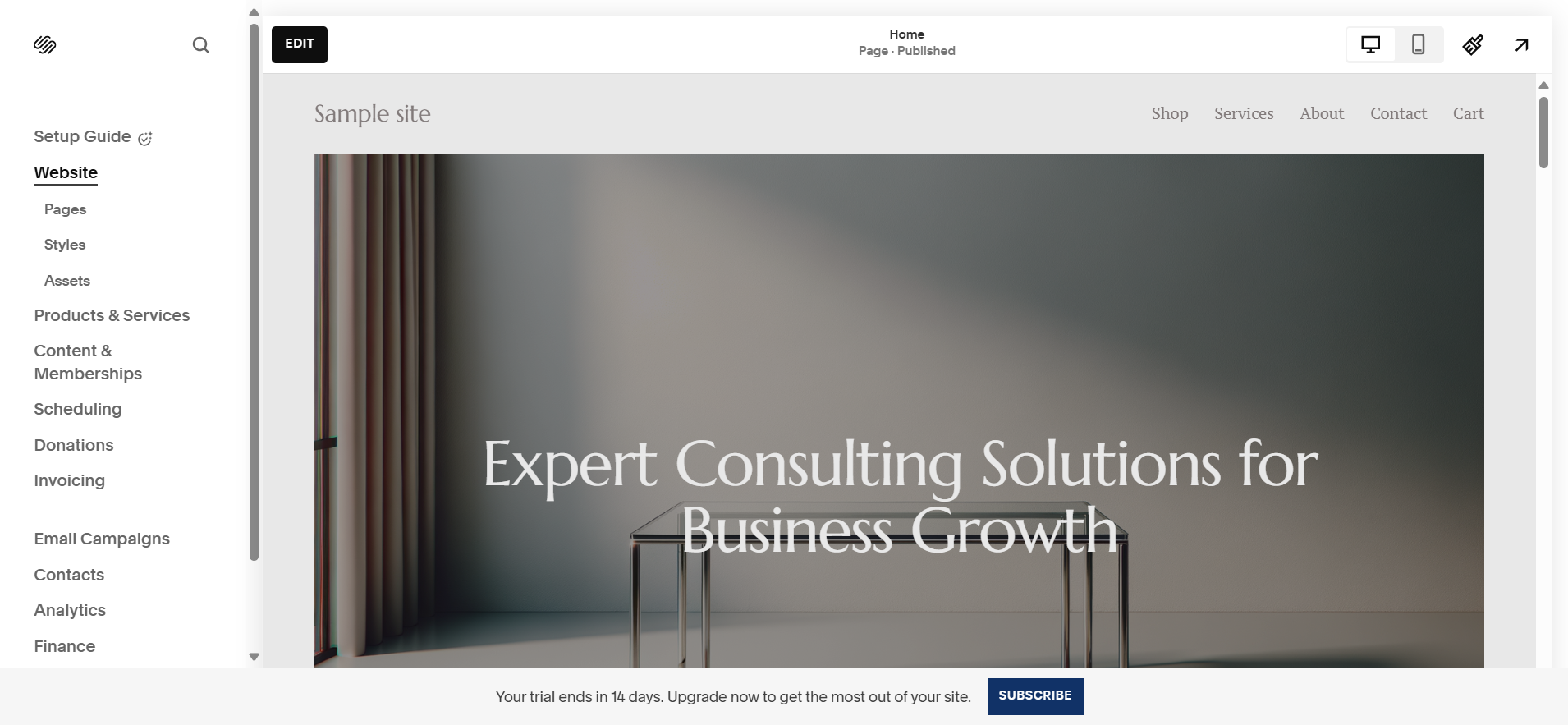
Squarespace is the perfect choice for beginners. Its intuitive drag-and-drop editor makes website creation remarkably simple—you could have a professional-looking site ready in the time it takes to enjoy a cup of coffee.
The guided onboarding process, ready-to-use templates, and clean, user-friendly dashboard make building a website accessible to virtually anyone. No coding, no technical expertise, and no unnecessary complexity.
Webflow, on the other hand, offers a more advanced visual development experience. While the learning curve is steeper, it rewards users with unmatched design flexibility, granular control, and the ability to create highly customized, scalable websites. For designers, agencies, and businesses planning long-term growth, the extra learning effort often pays off with significantly greater creative and technical freedom.
Learning Curve
Webflow requires an upfront investment of time to learn. To unlock its full potential, you'll need to understand concepts like Flexbox, CSS classes, breakpoints, and responsive design. Depending on your technical background, expect to spend 20–40 hours becoming comfortable with the platform.
The good news? Once you've mastered the fundamentals, Webflow offers a level of flexibility and creative freedom that's difficult to match with traditional website builders.
Verdict
- Choose Squarespace if you're a beginner looking to launch a professional website quickly with minimal learning.
- Choose Webflow if you want complete design control, scalability, and the ability to build highly customized websites.
Design Capabilities
Designing with Webflow
Webflow is often described as Photoshop for websites—giving you pixel-perfect control over every element of your design. You can create custom layouts, animations, hover effects, parallax scrolling, and interactive experiences without writing a single line of code.
Its real-time visual editor lets you see every change instantly, making the design process intuitive while maintaining professional-grade precision.
Key design features include:
- Pixel-perfect visual design with complete layout control
- Custom animations and interactions using Webflow Interactions
- Parallax effects, hover states, and scroll-triggered animations
- Real-time visual editing with instant previews
- Reusable components for consistent, efficient workflows
- Access to over 2,000 web font families
- Advanced CSS filters, transforms, and visual effects
- Fully responsive design tools for every screen size
Together, these features make Webflow one of the most powerful no-code design platforms available in 2026, giving designers and businesses the freedom to create truly unique, high-performing websites.
Designing with Webflow
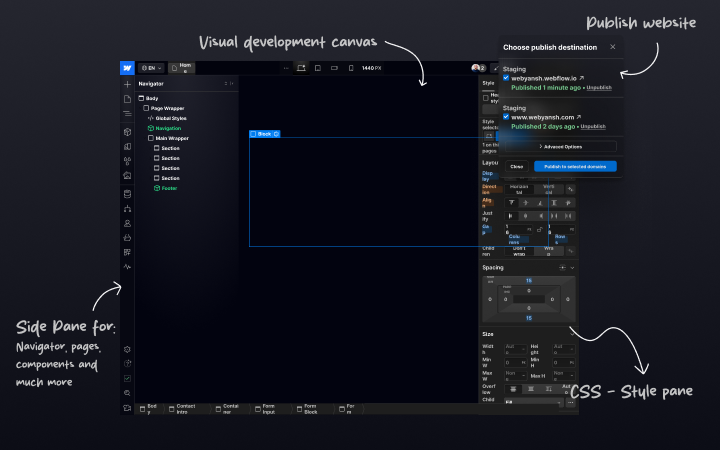
Webflow is often described as Photoshop for websites. It gives you pixel-perfect control over every aspect of your site's design—from custom animations and parallax effects to hover interactions and responsive layouts—all without writing code.
Its real-time visual editor instantly reflects every design change, making it easy to iterate while maintaining complete creative control. Reusable components, access to more than 2,000 web font families, CSS filters, and advanced visual effects make Webflow one of the most powerful no-code design platforms available.
While agencies and professional designers appreciate this level of flexibility, solo entrepreneurs and beginners may initially find it overwhelming. Fortunately, Webflow University offers comprehensive tutorials that make learning the platform much easier.
Designing with Squarespace
Squarespace is renowned for the quality of its templates, backed by more than two decades of design expertise. With over 90 professionally designed, fully responsive templates, it's easy to launch a beautiful website in a matter of hours.
The Fluid Engine editor offers a reasonable degree of layout flexibility while keeping the editing experience simple and intuitive. Although customization is limited compared to Webflow, the platform excels at helping users create visually polished websites without technical complexity.
For creatives, freelancers, and small businesses that want an attractive online presence with minimal effort, Squarespace remains one of the best options available.
Design Verdict
- Choose Webflow if you want unlimited creative freedom, advanced interactions, and complete design customization.
- Choose Squarespace if you prefer beautiful, professionally designed templates with a fast and beginner-friendly editing experience.
CMS: Webflow vs. Squarespace
Webflow CMS
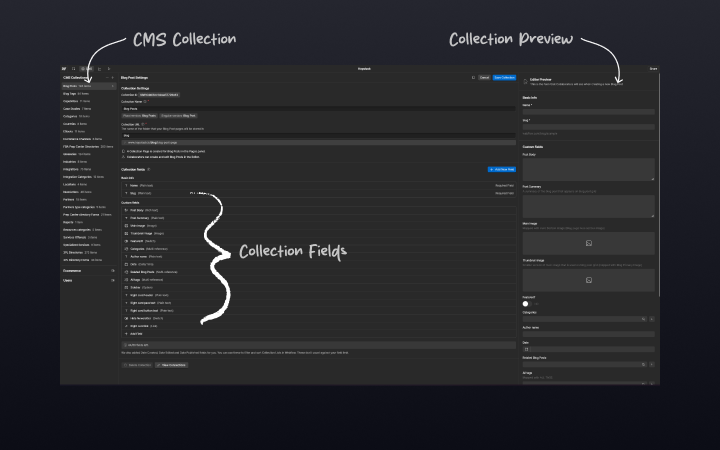
Webflow's CMS is built for scalability and flexibility. It supports custom content types, dynamic fields, linked collections, advanced blog management, and headless CMS APIs for seamless integrations with external applications.
Unlike traditional CMS platforms, Webflow lets you edit content directly on the page, eliminating the need to navigate through complex dashboards.
It's an excellent solution for:
- Large blogs
- Marketing websites
- Portfolio websites
- Directory websites
- Real estate listings
- Product catalogs
- Content-heavy business websites
Squarespace CMS
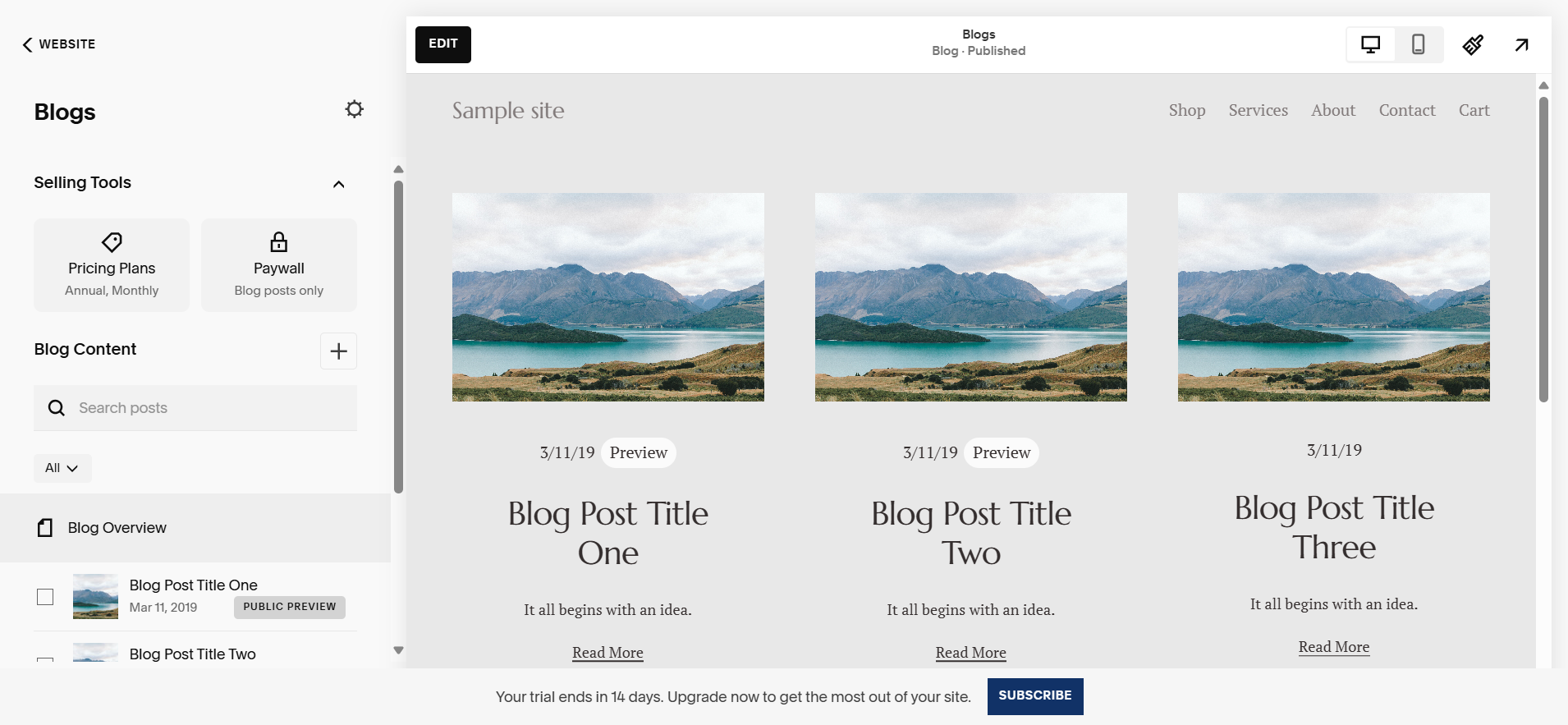
Squarespace's CMS focuses on simplicity and ease of use. It's ideal for personal blogs, creative portfolios, service businesses, and small online stores.
Managing pages, blog posts, images, and products is straightforward, making it an excellent choice for users with little or no technical experience.
However, when websites require complex content relationships, advanced filtering, or structured databases, Squarespace becomes more restrictive.
CMS Verdict
- Webflow is the better choice for dynamic, scalable, and content-rich websites.
- Squarespace is ideal for users who value simplicity and straightforward content management.
SEO: Webflow vs. Squarespace
SEO with Webflow
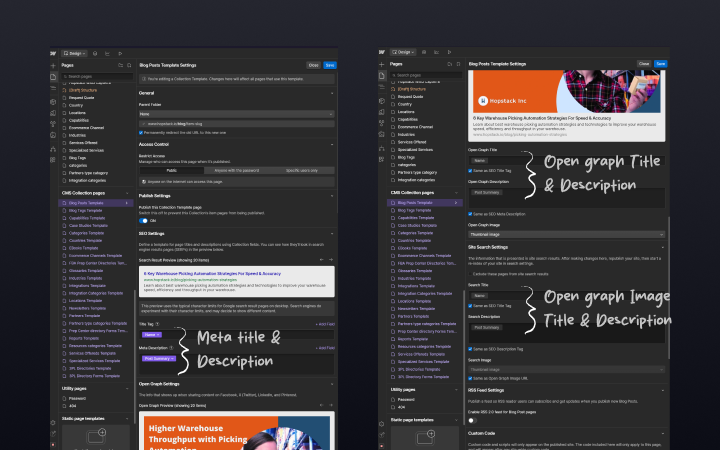
Webflow is designed with technical SEO in mind. It generates clean, semantic HTML that search engines can easily crawl and understand.
Every page includes native controls for:
- Custom title tags
- Meta descriptions
- Image alt text
- Canonical URLs
- Schema markup
- Open Graph settings
Webflow also automatically generates XML sitemaps and robots.txt files while hosting websites on AWS infrastructure with a global CDN, helping improve Core Web Vitals through faster page loading and better overall performance.
For businesses focused on organic growth, these features provide a strong technical SEO foundation.
SEO with Squarespace
Squarespace has significantly improved its SEO capabilities in recent years. Users can easily manage title tags, meta descriptions, XML sitemaps, and 301 redirects without needing technical expertise.
The platform also integrates well with Google Search Console and offers built-in marketing tools that simplify basic optimization.
The trade-off is that Squarespace provides less control over the underlying code and technical SEO configurations compared to Webflow.
SEO Verdict
- Webflow is the best choice for SEO professionals, marketers, and businesses seeking maximum technical control and search performance.
- Squarespace is well suited for beginners who need reliable, easy-to-use SEO tools without advanced customization.
Responsive Design & Mobile Performance
Webflow gives designers complete control over responsive layouts. You can customize every breakpoint, reposition elements, adjust spacing, and optimize your website independently for desktop, tablet, and mobile devices.
If an element needs to move, resize, or disappear on smaller screens, Webflow makes it possible with precision.
Squarespace takes a more automated approach. Its responsive templates adapt seamlessly across devices without requiring manual adjustments, making mobile optimization effortless for non-technical users.
Responsive Design Verdict
- Webflow offers maximum flexibility and precision for responsive design.
- Squarespace delivers convenience with excellent automatic mobile responsiveness.
Templates: Webflow vs. Squarespace
Webflow Templates
Webflow offers a curated library of premium templates. While the selection is smaller than Squarespace's, each template serves as a fully customizable starting point rather than a fixed design.
Every layout, animation, interaction, and component can be modified to create a completely unique website.
Squarespace Templates
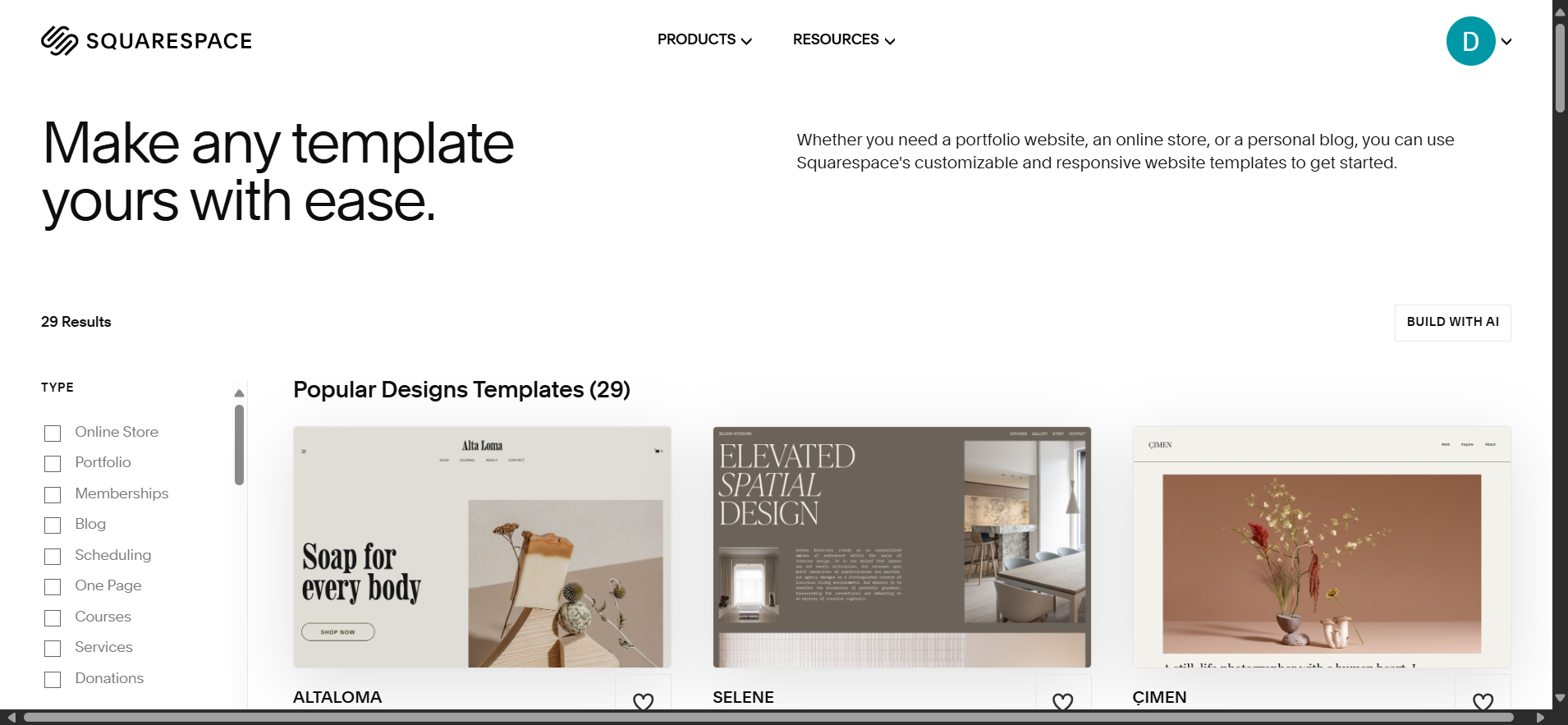
Squarespace features more than 90 professionally designed templates covering a wide range of industries, including portfolios, restaurants, e-commerce, agencies, blogs, and service businesses.
Its templates are visually consistent and highly polished, allowing users to launch attractive websites quickly. However, customization remains limited to the framework of each template.
Templates Verdict
- Choose Webflow if flexibility, scalability, and deep customization are your priorities.
- Choose Squarespace if you want professionally designed templates that look great with minimal setup.
- Squarespace CMS: Simpler blogging tools with tags and categories but lacks relational databases.
Expert Insight
At Webyansh, we've built large-scale content hubs, marketing websites, and dynamic CMS-driven platforms using Webflow for clients who require flexibility, scalability, and long-term growth. Based on our experience, Squarespace performs best for smaller websites with straightforward content needs, while Webflow excels when projects demand custom content structures, advanced functionality, and room to scale.
CMS Verdict
- Webflow is the clear winner for complex, content-rich websites that require flexibility and scalability.
- Squarespace is an excellent option for simpler websites, portfolios, blogs, and small business sites with modest content requirements.
Squarespace vs. Webflow Template Marketplace
Templates play a major role in determining your website's look, feel, and launch speed. Both Webflow and Squarespace offer professionally designed templates, but they take very different approaches.
Squarespace Templates
Squarespace's template marketplace is known for its elegant, polished, and ready-to-use designs. Whether you're building a minimalist portfolio, a creative agency website, a restaurant site, or a stylish online store, the templates are visually impressive right out of the box.
The trade-off is flexibility. While you can customize colors, fonts, layouts, and content, extensive structural changes or unique design concepts are often limited by the template's framework.
Best for:
- Creative portfolios
- Personal websites
- Small businesses
- Restaurants
- Service-based businesses
- Users who want to launch quickly
Webflow Templates
Webflow offers a smaller but highly flexible collection of premium templates. Rather than serving as fixed layouts, they're designed as customizable foundations that you can adapt to virtually any project.
Every section, component, interaction, and animation can be modified. Want to redesign the hero section, build a completely custom footer, add interactive animations, or restructure the layout? Webflow gives you complete creative freedom.
Although the initial selection isn't as large as Squarespace's, the ability to customize every element means you can create a truly unique website without being constrained by the original template.
Best for:
- Agencies
- Startups
- SaaS companies
- Marketing websites
- Custom business websites
- Designers seeking complete creative control
Template Marketplace Verdict
- Choose Webflow if you want unlimited customization and the freedom to create a completely unique website.
- Choose Squarespace if you prefer beautiful, professionally designed templates that are ready to launch with minimal effort.
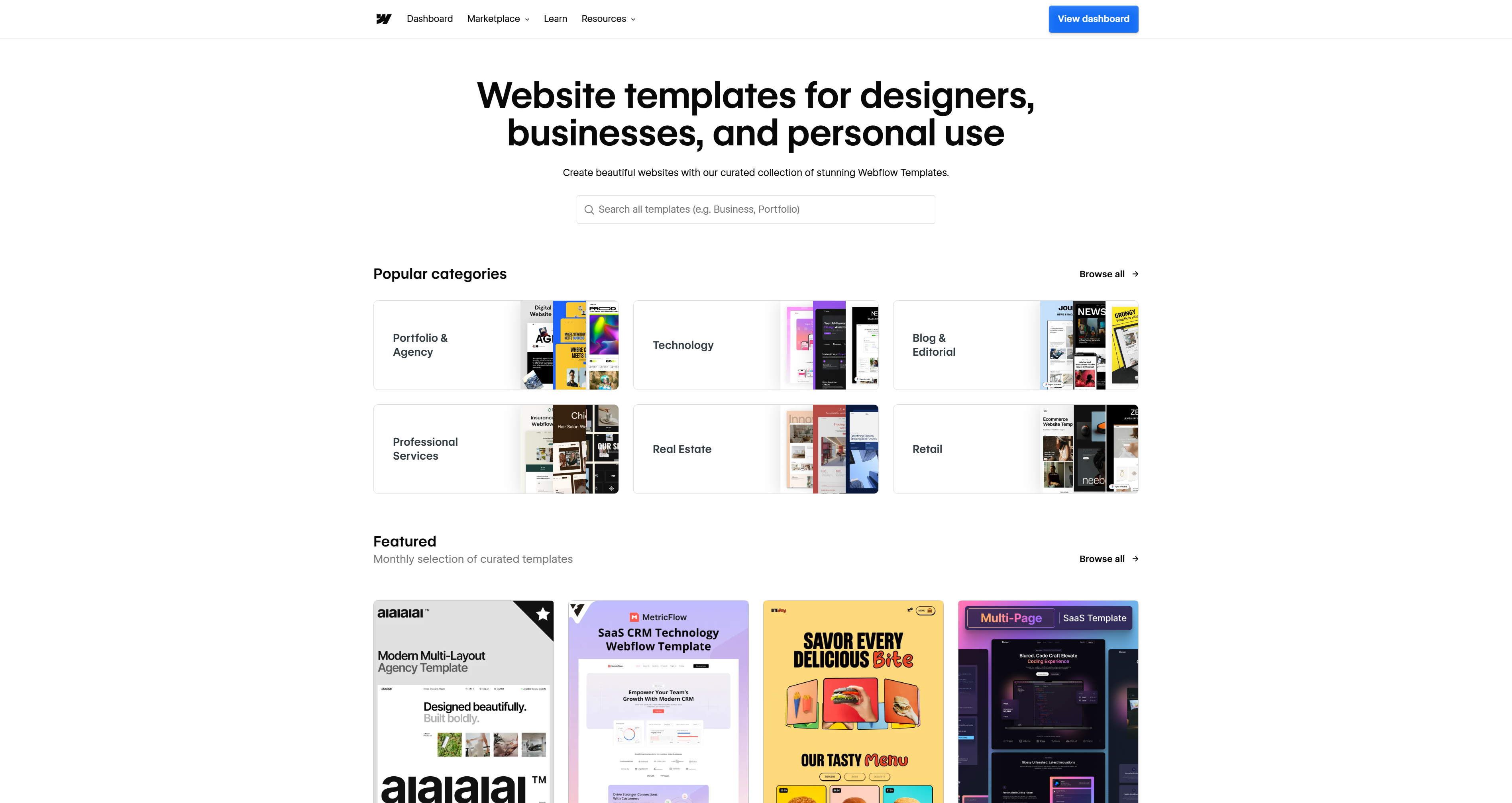
- Webflow: 2,000+ templates (including paid options from $49). Many include Figma files for cross-platform editing.
- Squarespace: 180+ polished templates, but customization is restricted to built-in style settings.
Why Businesses Choose Webflow
For small and medium-sized businesses (SMBs) looking to stand out in competitive markets, Webflow's flexibility is a major advantage. Its extensive customization options make it possible to create unique, high-performing websites that reflect a brand's identity and scale alongside business growth.
Squarespace, by contrast, shines with its plug-and-play simplicity. If your goal is to launch a professional-looking website quickly with minimal setup, Squarespace offers one of the fastest paths from idea to live site.
Verdict
- Choose Squarespace for beautiful, ready-to-launch websites with minimal effort.
- Choose Webflow for fully customized websites tailored to your brand and long-term growth.
Customer Support & Community: Webflow vs. Squarespace
Reliable support can make all the difference when building and managing your website.
Squarespace Support
Squarespace provides 24/7 email support and live chat support during business hours, making it an excellent choice for beginners who prefer direct assistance.
Its comprehensive Help Center includes hundreds of step-by-step articles, video tutorials, and troubleshooting guides, allowing users to quickly resolve common issues.
Webflow Support
Webflow takes a more education-focused approach. While email support is available, the platform is best known for Webflow University, one of the industry's most comprehensive learning resources.
Users have access to:
- Detailed video courses
- Interactive tutorials
- Documentation
- Community forums
- Expert blogs
- Active social communities
Many Webyansh clients highlight Webflow University as one of the biggest reasons they were able to master the platform and confidently manage their websites after launch.
Support Verdict
- Choose Squarespace if you prefer immediate, hands-on customer support.
- Choose Webflow if you enjoy learning independently and want access to extensive educational resources and a highly active community.
Learning Curve & Resources
One of the biggest differences between the two platforms is how quickly new users can become productive.
Learning Squarespace
Squarespace is designed for speed and simplicity. Most users can build and publish a professional website within a few hours without reading documentation or learning web design concepts.
Its intuitive interface, guided setup process, and ready-made templates make it ideal for entrepreneurs, creatives, and small business owners who want to get online quickly.
Learning Webflow
Webflow requires more time and commitment. New users will benefit from understanding concepts such as:
- CSS classes
- Flexbox
- Grid layouts
- Responsive breakpoints
- Box model fundamentals
While the learning curve is steeper, the reward is significantly greater creative freedom and professional-level website development capabilities.
Fortunately, resources such as Webflow University, community forums, YouTube tutorials, and expert blogs make the learning process much easier.
Learning Curve Verdict
- Squarespace is the better option for users who want to build a website quickly with minimal learning.
- Webflow requires more time to master but offers substantially more flexibility and long-term value.
Webflow SEO vs. Squarespace SEO: Which Performs Better?
Search engine optimization (SEO) is essential for increasing visibility on Google and other search engines. While both platforms include built-in SEO tools, Webflow provides more advanced capabilities for businesses focused on organic growth.
SEO with Webflow
Webflow is built with technical SEO in mind, giving users greater control over how their websites are optimized.
Key SEO features include:
- Custom title tags and meta descriptions
- Image alt text optimization
- Schema markup support
- Canonical URLs
- Automatic XML sitemaps
- Clean semantic HTML
- Fast-loading pages powered by AWS hosting and a global CDN
- Excellent Core Web Vitals performance
- Full control over robots.txt and redirects
This level of flexibility allows marketers and SEO professionals to optimize every page for targeted keywords, improve crawlability, and maximize search engine rankings.
For businesses investing heavily in content marketing and organic traffic, Webflow provides one of the strongest SEO foundations among no-code website builders.
Squarespace SEO
Squarespace covers all the essential SEO features most websites need, including:
- Custom meta titles and descriptions
- Automatic XML sitemaps
- Clean URL structures
- 301 redirects
- Basic image SEO
- Google Search Console integration
These tools are easy to use and require little technical knowledge, making Squarespace a solid choice for beginners and small businesses.
However, compared to Webflow, Squarespace offers less control over technical SEO elements and website performance optimization. Advanced users who want fine-grained customization may find the platform limiting.
From our experience at Webyansh, we've helped clients achieve first-page Google rankings using Webflow's advanced SEO capabilities. While Squarespace delivers solid results for standard websites, Webflow provides the level of precision and flexibility needed for more competitive SEO strategies.
SEO Verdict
- Choose Webflow if technical SEO, Core Web Vitals, structured data, and advanced optimization are priorities.
- Choose Squarespace if you want simple, beginner-friendly SEO tools that cover the fundamentals without added complexity.
Integrations: Webflow vs. Squarespace
Modern websites rely on third-party tools for marketing, analytics, automation, CRM, and e-commerce. Both platforms support integrations, but they differ in flexibility.
Webflow Integrations
Webflow offers an open and highly customizable integration ecosystem. It connects with popular platforms such as:
- Zapier
- Google Analytics
- Google Tag Manager
- HubSpot
- Mailchimp
- Airtable
- Make (formerly Integromat)
- Custom JavaScript and APIs
- Headless CMS workflows
Developers can also add custom code, making Webflow ideal for businesses with unique technical requirements or advanced workflows.
For users who want deeper visitor insights, integrating Microsoft Clarity provides powerful heatmaps, session recordings, click tracking, and user behavior analytics—all without affecting website performance.
Squarespace Integrations
Squarespace focuses on simplicity by offering a curated marketplace of trusted integrations. Popular services like Stripe, PayPal, Mailchimp, Google Workspace, and social media platforms can be connected in just a few clicks.
Although the selection is smaller than Webflow's, the setup process is straightforward and requires little technical knowledge.
Integrations Verdict
- Choose Webflow if you need maximum flexibility, API access, automation, and advanced third-party integrations.
- Choose Squarespace if you prefer easy, plug-and-play integrations that require minimal configuration.
E-commerce: Webflow vs. Squarespace
Choosing the right e-commerce platform depends on your store's size, customization needs, and future growth plans.
Squarespace E-commerce
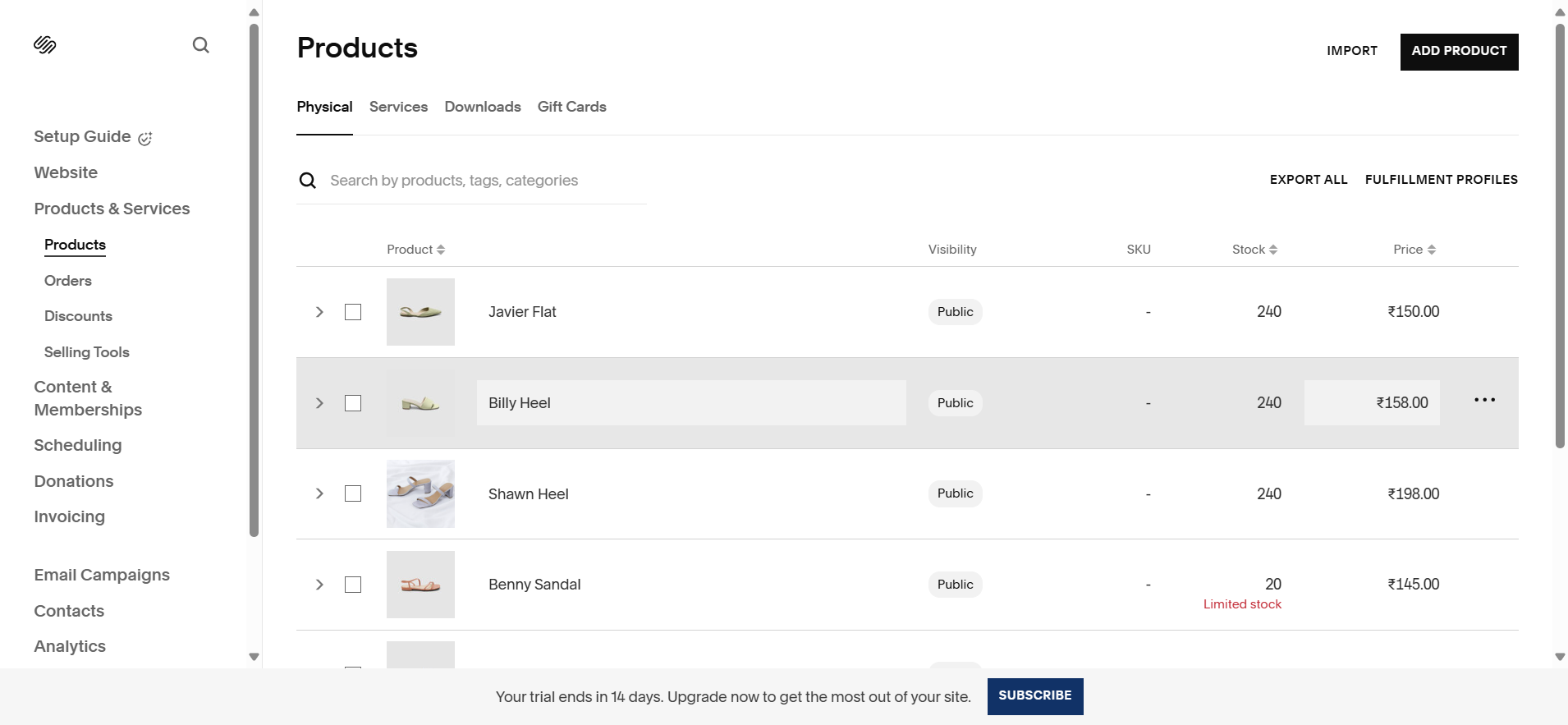
Squarespace includes built-in e-commerce functionality, allowing you to start selling online almost immediately.
You can easily:
- Add physical and digital products
- Accept online payments
- Manage inventory
- Create discount codes
- Calculate shipping
- Collect customer information
- Manage orders from one dashboard
Its intuitive setup makes it an excellent option for:
- Small online stores
- Creative businesses
- Artists
- Restaurants
- Service providers selling digital products
- Entrepreneurs launching their first e-commerce website
For businesses that prioritize simplicity over advanced customization, Squarespace offers one of the easiest ways to launch an online store.
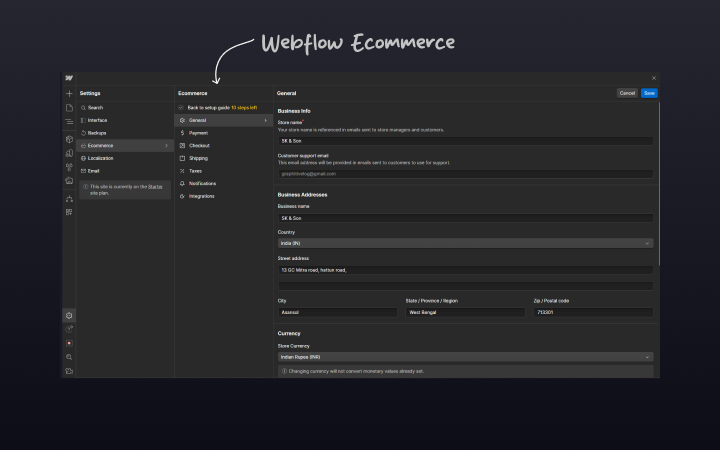
Webflow’s ecommerce demands setup—custom checkouts, unique product pages—but the customization is unmatched. Think bespoke storefronts that wow.
Product Management
- Webflow: Sell up to 15,000 SKUs with custom fields. Integrates with Shopify for advanced inventory.
- Squarespace: Unlimited products + subscriptions (Advanced plan). Auto-syncs with Printful for merch.
Checkout Experience
- Webflow: Fully branded checkout (fonts, colors).
- Squarespace: Clean but template-driven flow.
Fees
- Webflow: 2% fee on Standard plans (waived for Enterprise).
- Squarespace: 0% fees on Plus/Advanced plans
Webyansh has crafted standout ecommerce experiences with Webflow for clients who need flair. Squarespace suits tighter timelines.
Verdict: Squarespace for quick stores; Webflow for custom commerce.
Webflow AI Vs Squarespace AI: The 2026 Edge
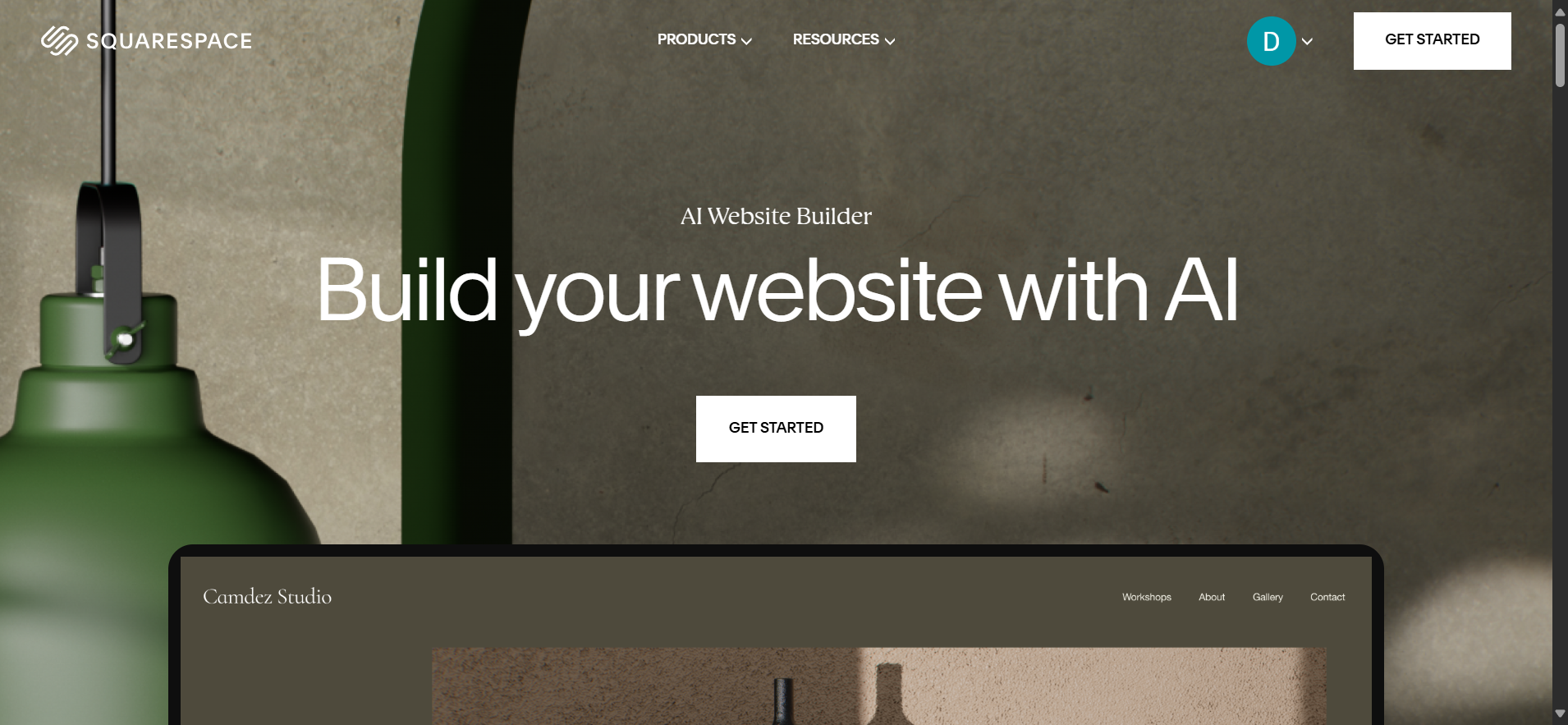
AI is heating up in 2026. Webflow Squarespace AI sees Squarespace leading slightly. Its AI tools—like content generators for blogs or product blurbs—save time for non-writers.
Webflow doesn’t have native AI yet, but you can weave in third-party AI via integrations. It’s less seamless but more open-ended.
- Webflow AI: Generates custom layout suggestions based on your content. For example, input a product description, and it’ll propose card layouts.
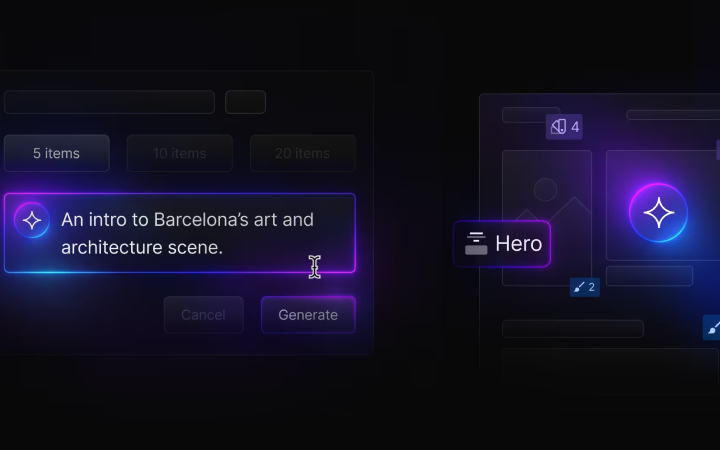
- Squarespace AI: Focuses on content optimization, recommending keywords for blogs and product pages.
Verdict: Squarespace for built-in AI; Webflow for custom AI potential.
Webflow Vs Squarespace: Security and Maintenance
Safety first! Both platforms secure your site, but Webflow Vs Squarespace security and maintenance differ. Squarespace handles everything—hosting, updates, SSL—hands-off and stress-free.
Webflow gives you control—custom hosting options, security tweaks—but requires more oversight.
For SMEs needing autonomy, Webflow’s edge is clear. Squarespace suits set-it-and-forget-it users.
Verdict: Squarespace for simplicity; Webflow for control.
Webflow Pricing Vs Squarespace Pricing Comparison
Money talks. Webflow Vs Squarespace pricing breaks down like this:
| Plan | Webflow | Squarespace |
|---|---|---|
| Free | Free | - |
| Basic Site | $16/mo | $16/mo (Personal) |
| CMS/Business | $23/mo (CMS) | $23/mo (Business) |
| Ecommerce | $29/mo (Standard), $74/mo (Plus), $212/mo (Advanced) | $27/mo (Basic Commerce), $49/mo (Advanced Commerce) |
Webflow’s free start is a perk for testing. Squarespace’s flat rates suit predictable budgets.
Verdict: Webflow for flexibility; Squarespace for straightforward costs.
Conclusion: Webflow vs. Squarespace — Which Should You Choose in 2026?
So, Webflow vs. Squarespace in 2026—which platform comes out on top?
The answer depends entirely on your goals, technical experience, and the type of website you want to build.
Choose Squarespace if your priority is launching a professional-looking website quickly with minimal effort. Its intuitive interface, beautifully designed templates, built-in e-commerce tools, and beginner-friendly experience make it an excellent choice for creatives, freelancers, small businesses, and entrepreneurs who want an attractive online presence without dealing with technical complexity.
Choose Webflow if you need complete creative freedom, advanced customization, superior scalability, and industry-leading SEO capabilities. With its powerful visual development tools, flexible CMS, responsive design controls, and extensive integration options, Webflow is the ideal platform for designers, agencies, developers, startups, SaaS companies, and businesses with ambitious digital growth plans.
If you're building a website that's expected to evolve over time, generate organic traffic, and deliver a highly customized user experience, Webflow provides the flexibility and performance to support long-term success.
Ultimately, both platforms are excellent—but they serve different audiences. Squarespace prioritizes simplicity and speed, while Webflow prioritizes flexibility, scalability, and professional-grade website development.
Whether you're launching your first website or investing in a scalable digital presence for your business, choosing the platform that aligns with your long-term objectives will set you up for success.
At Webyansh, we’re all about building digital brands that grow. As a certified Webflow agency in India, we specialize in crafting bespoke sites with Webflow’s power, paired with expert UX/UI, web development, and SEO. But we get it—sometimes Squarespace’s simplicity is the right fit. if you want to migrate to Webflow from Squarespace then reach out to us. Need help deciding? We’re here to guide you. Contact us now.
Can I switch from Squarespace to Webflow easily?
Not quite. There’s no one-click migration—expect to rebuild your design and migrate content manually. Webyansh can streamline this for you!
Which is better for SEO—Webflow or Squarespace?
Webflow. Its advanced tools and clean code outshine Squarespace’s basics, especially for competitive keywords.
Is Webflow or Squarespace better for ecommerce?
Squarespace for small, simple stores; Webflow for custom, scalable shops. Your goals decide.
Which platform is cheaper long-term?
Squarespace wins for simple sites, while Webflow’s scalability justifies costs for growing brands.
Which is more beginner-friendly?
Squarespace, hands down. Webflow’s power comes with a learning curve, but its resources help you climb it.